
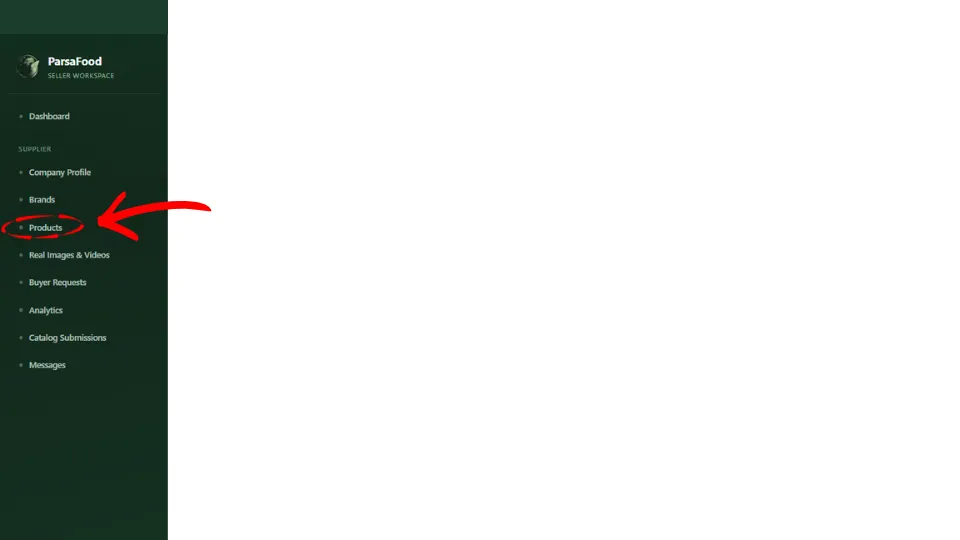
Log in to your seller account and select Products from the menu on the left.
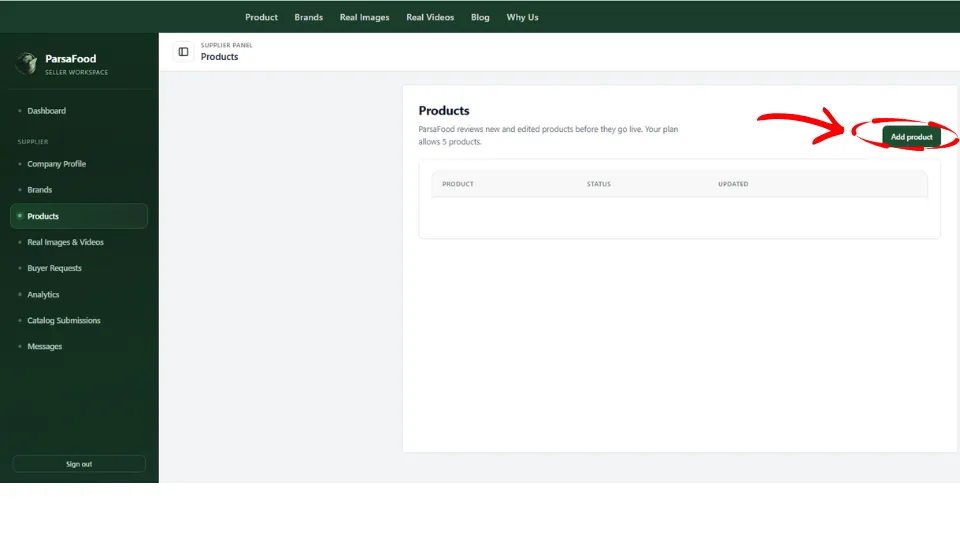
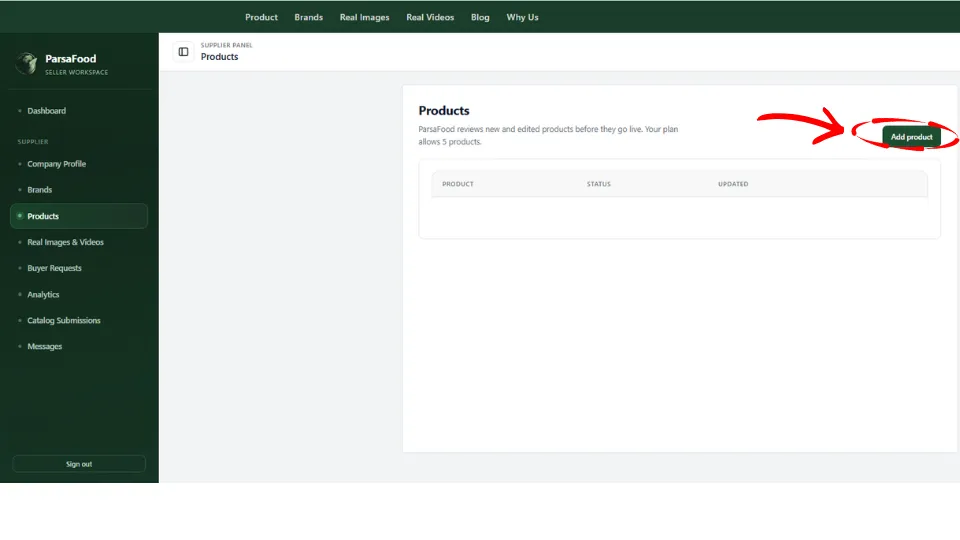
On the Products page, click Add product to open the form.
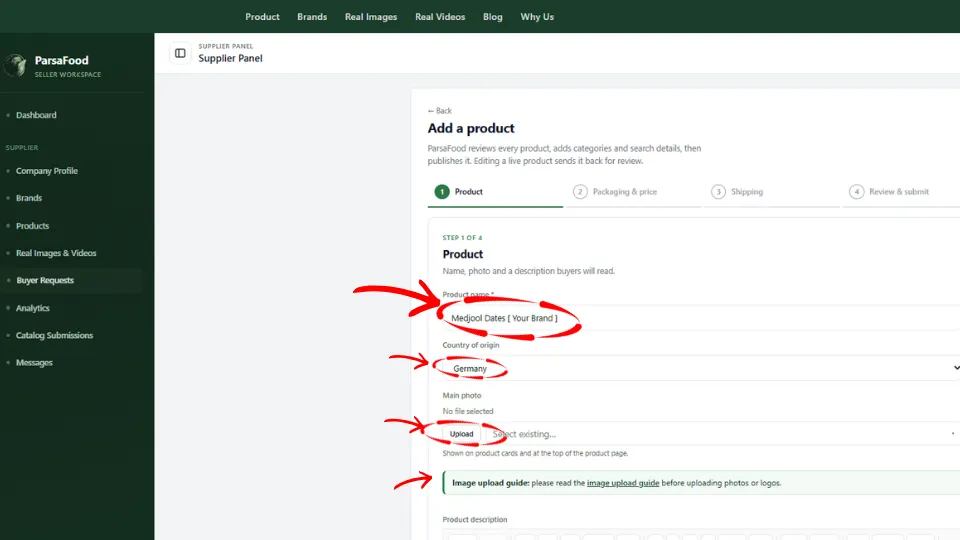
Step 1 | Product
Enter the product name and your brand, for example [Your Brand] Medjool Dates. Including your brand name helps buyers find your product on Google. Create separate listings for different products, such as Medjool and Piarom dates. You can list different sizes, quality grades, and packaging options for Medjool dates on the same page.
Select the country of origin and upload one clear photo of your product in one of its actual packages. This is the main photo buyers see first. Follow the Image Upload Guide before uploading. The product name and main photo are required.
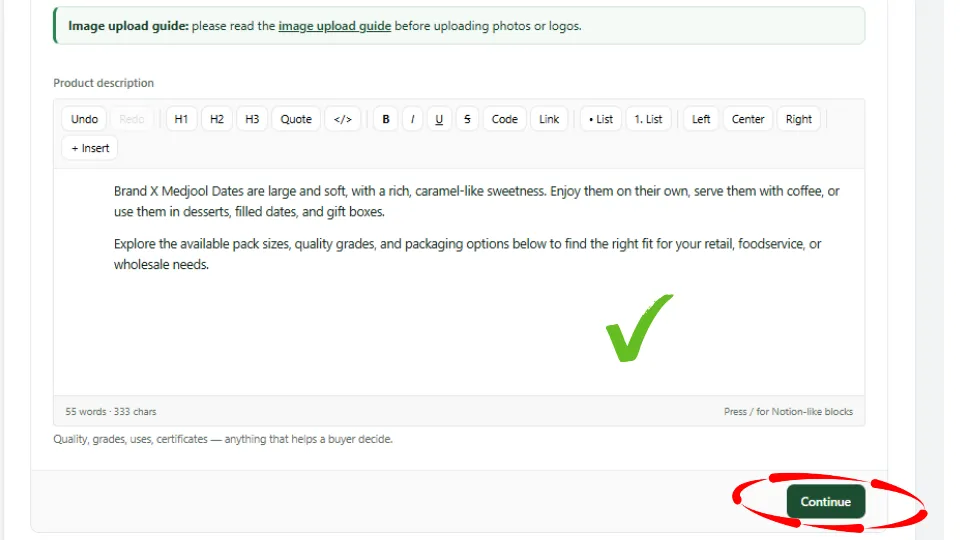
Write a short description that tells buyers what makes your product stand out. Then click Continue.
Step 2 | Packaging & price
Add your first option, for example Medjool Dates – 500 g Box. You can start with the package shown in the main photo or another option for the same product. Add a photo, title, label, and features for each option. ParsaFood automatically assigns a product ID.
Select the months when the product is available. If it is available year-round, click Select all. Enter the expiry date or shelf life.
Enter the nutrition information, weight, packaging type and material, and quality grade. Set the minimum order and its unit, for example 1 pallet. Where applicable, enter how many packs fit in each box, carton, pallet, or container.
Enter a unit price or a price range. If you offer a discount, enter the discounted price and the dates it applies. You can also set different prices for larger orders. Add your payment method and terms, and indicate whether you accept orders under the buyer’s own brand.
To offer another option, such as a 1 kg box of Medjool dates, click Add slide. Give each option its own photo, details, and price. When you have added all your options, click Continue.
Step 3 | Shipping
Select the container type, the shipping methods you offer, and your delivery terms (Incoterms). Indicate whether the product is halal and add any relevant documents and certificates in the appropriate section.
Select the countries you can ship to, then click Continue.
Step 4 | Review & submit
Check your product name, photos, prices, and shipping details. Click Save as draft if you want to finish later. When your listing is ready, click Submit for review. The ParsaFood team will review it within 48 hours and publish it once approved.